
MCT Overview
MCT Overview
Category: Getting Started | Audience: undefined | Page: 2 of 33
Table of Contents
MCT Overview
Welcome to the MyClinicalTrial (MCT) system! This overview will guide you through the essential features and functionalities of MCT, helping you get started with managing your clinical trials efficiently.
Introduction
MCT is a comprehensive database application designed to support the core functions of the Patient Recruitment Project and Site operations. It facilitates tasks such as Project Entry, Study Entry, Site Calls, Patient Profiles, and Screener Development. Understanding MCT will empower you to manage your clinical trials with ease and precision.
Key Concepts
Major Components of MCT
MCT consists of several key components that work together to provide a robust clinical trial management system:
- Contact-Related Components: Manage personal information such as names, emails, and phone numbers.
- Form Data Components: Store and manage form submissions, which may contain personal data.
- Entity Components: Store and manage information about entities like projects, sites, and sponsors.
- Project Components: Manage information about clinical trials, including study details, patient data, and site information.
What You Can Do
- Create and manage projects
- Enter and track study details
- Manage site calls and communications
- Develop and maintain patient profiles
- Create and distribute screeners
How To
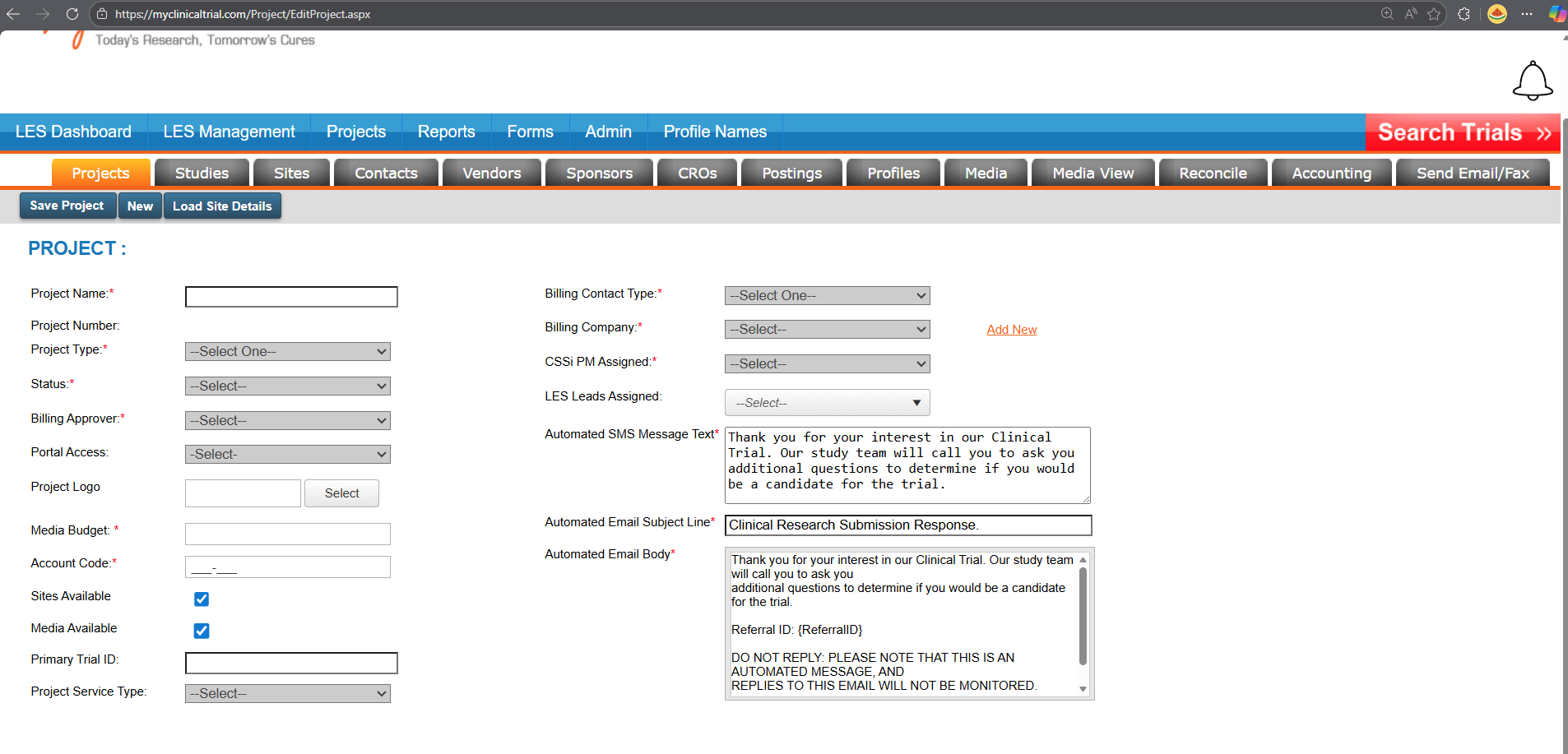
Create a New Project
- Log in to the MCT system.
- Navigate to the "Projects" section.
- Click on "Add New Project."
- Fill in the required fields such as project name, description, and start date.
- Click "Save" to create the project.
Submit a Form
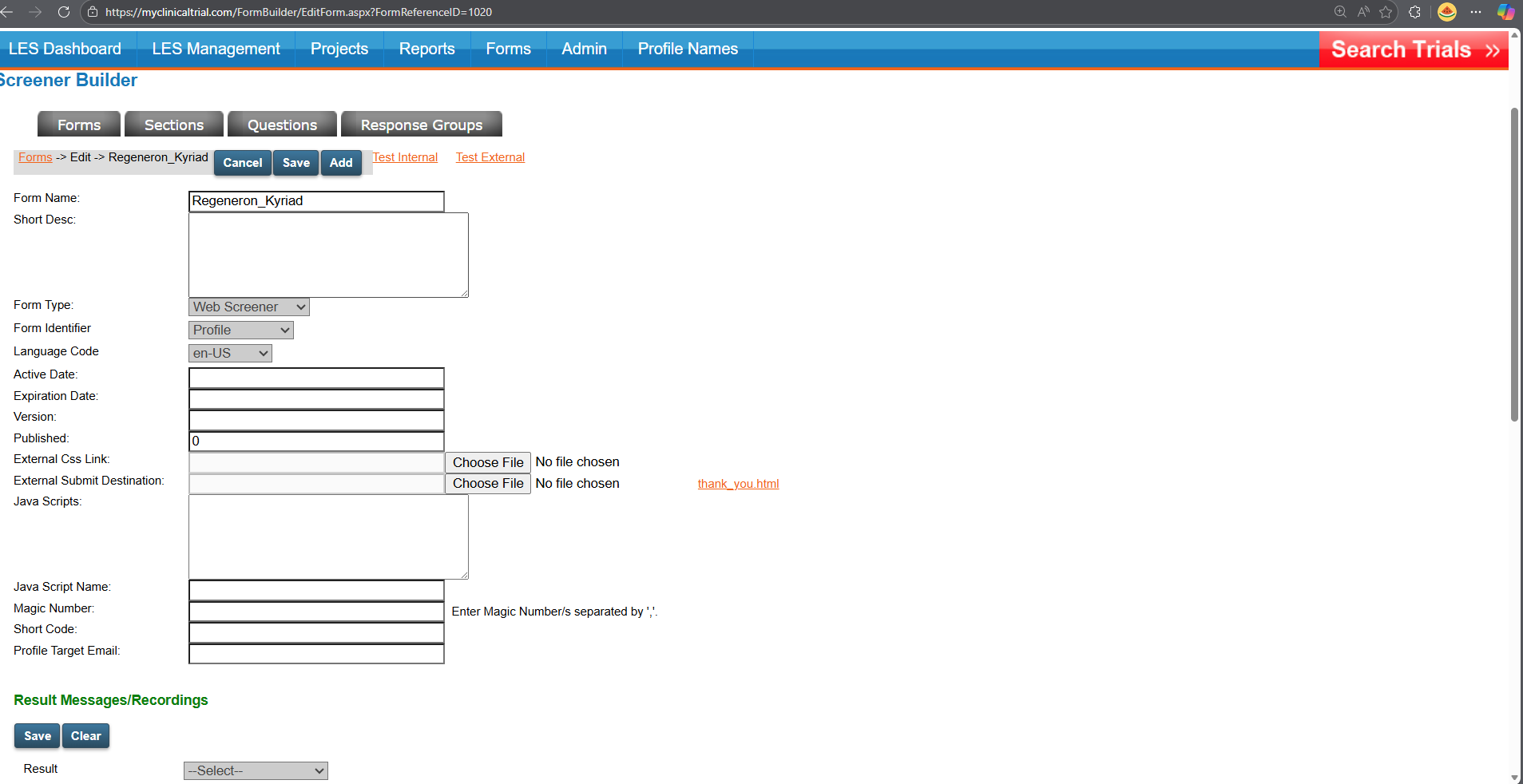
- Go to the "Forms" section.
- Select the form you wish to submit.
- Fill in the necessary fields with the required information.
- Click "Submit" to save the form data.
Tips & Best Practices
- Regularly review and update contact information to ensure GDPR compliance.
- Use the "Entity Management" feature to keep track of all projects, sites, and sponsors.
- Utilize the "Project Management" tools to monitor the progress and details of your clinical trials.
- Integrate MCT with MTJ (My Trial Journey) for enhanced patient recruitment and trial management.
Next Steps
- Explore the MCT documentation for more detailed information on each component.
- Familiarize yourself with the new database structures and proof-of-concept implementation plan.
- Ensure all stakeholders are aware of the changes and updates to maintain operational capabilities and GDPR compliance.
By following this guide, you'll be well on your way to mastering the MCT system and efficiently managing your clinical trials. Happy trial managing!
Navigation
← Previous: Elixia Overview
📚 Documentation HomeNext: MTJ Overview →
Generated from MCT Knowledge Base • v1.1.0 • January 2, 2026